What to ask a client before you start an AI video project
A short brief checklist for AI video work, covering goal, platform, product, people, rules, scope, approvals and delivery, so you quote right and avoid endless changes.
Saqqa Academy team
16-Nov-2026 · 6 min read
In this article
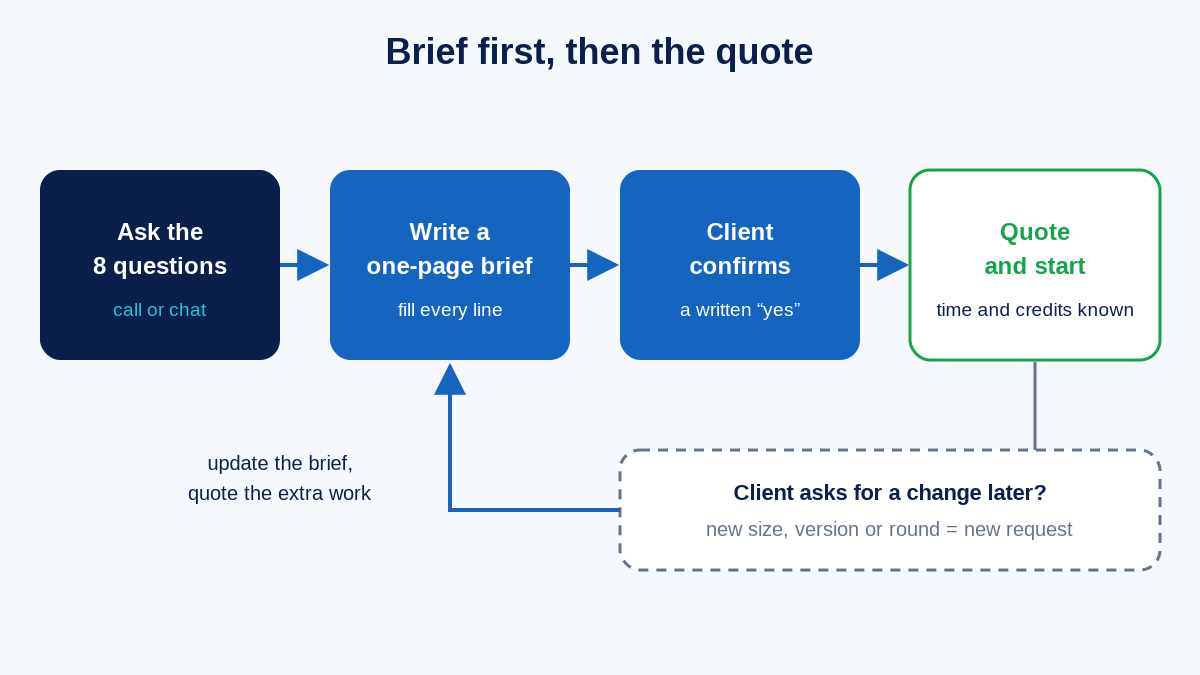
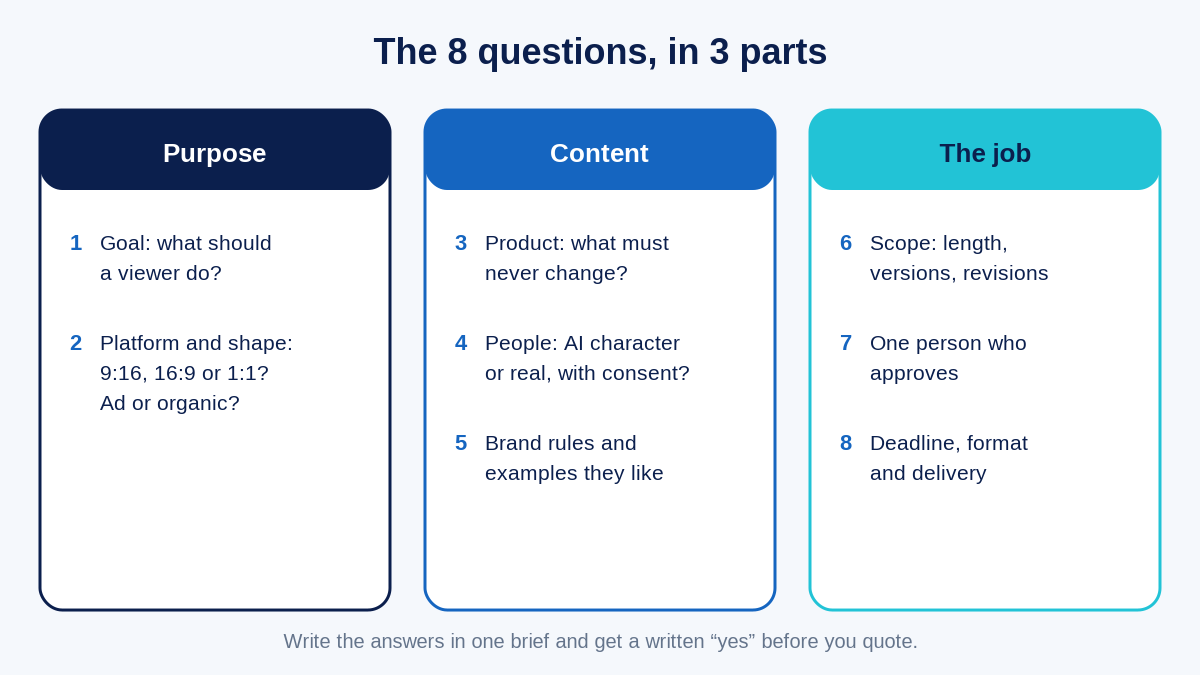
Before you start any AI video project, ask the client about eight things: the goal of the video, where it will be posted and in what shape, the product and what must never change about it, any people or characters in it, brand rules, the scope (length, number of versions, revision rounds), who approves it, and the deadline and delivery format. Write the answers down in one short brief and send it back to the client to confirm before you quote. Most arguments about "this isn't what I wanted" start with a question nobody asked at the beginning.
AI work needs a few extra questions that ordinary video work doesn't, because AI can change a product's shape, invent a logo or make a face that looks like a real person. This guide gives you the questions, a copy-and-paste brief template, and the reason behind each one.
Why AI video needs a better brief
With a camera, the product is the product. With AI, the model can quietly change the label, the colour or the number of items in the box, and a client will spot it at once. An AI character can drift from one shot to the next. And because each generation costs credits and time, "can you try a few more versions?" has a real cost to you.
A good brief protects both sides. The client knows what they're getting, and you know when the job is finished. It also makes pricing possible: you can't time a job you haven't defined, as we explain in how to price AI video work.
The eight questions
1. What is this video for?
Ask what the client wants a viewer to do after watching: buy, message, visit a shop, follow, or simply remember the brand. A launch ad, a product explainer and a festive greeting need different hooks and lengths. If they say "just make it look good", ask what a good result would look like a week later.
2. Where will it be posted, and in what shape?
Reels, TikTok and Shorts are vertical; a website banner or YouTube video is usually wide; some feeds use square. The answer decides the aspect ratio before you generate anything, which matters because cropping later throws away most of the frame. Our guide on the right size for Reels, TikTok and Shorts explains why. Ask too whether it will be a paid ad, because ads often need several lengths or versions.
3. What is the product, and what must never change?
Ask for real, clear photos of the product from several angles, the exact logo file, and the exact text on the label. Then ask directly: "What must stay exactly the same?" Usually it's the logo, the label text, the colours and the shape. Write those down as fixed. Our guide on turning one product photo into an AI ad image shows how to keep them fixed while you work.
4. Will there be people or characters?
If the video has a person, ask whether it should be an AI character or a real person who has agreed to appear. Never make an AI version of a real, identifiable person without their written permission. If the client wants the same character across several videos, agree on one character now and keep its reference images; see how to keep the same AI character across images and videos.
5. Are there brand rules?
Ask for fonts, colours, words they never use, competitors they don't want to look like, and anything that would be inappropriate for their customers. Ask for one or two videos they like, and one they don't, so you can see the style rather than guess it.
6. What exactly is included?
This is the scope, and it's where most problems start. Agree on:
- the length of each video (for example 15 or 30 seconds)
- how many videos, and how many versions or sizes of each
- whether you provide the script, voice-over, music and captions, or the client does
- how many rounds of changes are included (one or two is common), and how extra rounds are charged
7. Who gives feedback and approves?
Ask who will give the final yes. If three people send feedback separately, you'll get three different sets of changes. Ask the client to collect all feedback for each round into one message from one person.
8. When, and in what format?
Agree on the deadline, the file format (usually MP4) and the size, how you'll send it, and whether they need the project files or only the final videos. Ask too when they'll give feedback, because a deadline only works if their review time is in the plan.
A brief template you can copy
Send this to the client, fill it in together on a call or in chat, and send the finished version back for a written "yes":
AI VIDEO BRIEF

Client:
Date:

1. Goal: what should a viewer do after watching?
2. Platform and shape: (Reels / TikTok / Shorts = 9:16, website = 16:9, other)
   Paid ad or organic post?
3. Product: photos received? (yes/no)  Logo file received? (yes/no)
   Must never change: (logo, label text, colours, shape, ...)
4. People: AI character / real person with written permission / none
   Reuse the same character later? (yes/no)
5. Brand rules: fonts, colours, words to avoid. Examples they like:
6. Scope: number of videos ___, length ___ seconds, versions/sizes ___
   Script by: me / client   Voice: me / client   Music: me / client
   Revision rounds included: ___   Extra rounds: charged per ___
7. Final approver (one person):
8. Deadline: ___   Client feedback within ___ days
   Delivery: MP4, size ___, sent by ___   Project files included? (yes/no)

Confirmed by client (name and date):
What to do with the answers
- Spot the gaps. If you can't fill a line, ask again before quoting. "We'll see later" usually becomes extra work later.
- Time and price it. With the scope written down you can estimate hours and credits and give a clear quote.
- Get it confirmed in writing. A WhatsApp or email reply saying "yes, this is right" is enough for small jobs.
- Treat changes as new requests. If the client asks for a new size, a new version or a third round, point to the brief kindly and quote the extra work. This keeps the relationship friendly because nothing is a surprise.
If you're still looking for your first client, our guide on finding your first AI video client covers where to start, and the AI Content Creator Program covers the whole job from the brief to a finished ad, with tasks our team reviews.
Frequently asked questions
Isn't a long brief going to put small clients off?
Keep it short and friendly: the template fits on one page, and you can fill it in together in a ten-minute call or a few chat messages. Most small clients are glad that someone is asking the right questions.
What if the client doesn't know the answers?
That's normal, especially for the goal and the platform. Offer two or three simple options and a recommendation, for example "a 15-second vertical video for Instagram and TikTok", and let them choose.
Should I start before the brief is confirmed?
It's safer not to. If you start without a confirmed brief and the client wanted something else, you pay for the extra time and credits. A written "yes" protects you both.
What if the client wants to use a real person's face?
Only with that person's clear written permission, and only if the platform's rules allow it. If the client can't get permission, suggest an original AI character instead.
- #client brief
- #freelancing
- #ai video
- #clients
- #scope
Want to learn AI video properly?
The AI Content Creator Program takes you from your first prompt to a portfolio you can show: 27 short, focused lessons in easy Urdu, with a weekly live session and tasks our team reviews.
Enroll now